
Popular content
- Switching from Linux for main OS on Drupal development laptop (386,680)
- Drupal SEO Modules (349,731)
- Tracking Redirects with Google Analytics (281,827)
- Drupal Pathauto URL Aliases Settings (230,126)
- Drupal Node Teaser SEO (214,224)
- 503 HTTP Status Code when Site Down (192,040)
- Drupal 7 Localization and the Commerce module (178,524)
- Drupal Actions and Triggers (177,067)
- How to setup a Drupal LAMP development environment on Linux (Ubuntu) (172,249)
- Drupal misadventures configuring Private Message + Views + DBTNG (170,725)
Recent Blog Posts

Make Drupal SEO Friendly
Are you wondering how to make Drupal SEO friendly? You can start by taking a look at the list of Drupal SEO modules that are available for free.
Also, I have just finished version 1 of my Drupal SEO Friend Module. It has been accepted at drupal.org and is available at: https://www.drupal.org/project/seo_friend. Download the tar file, untar it into your sites/all/modules directory (or wherever you are keeping your 3rd party modules), enable it at admin/build/modules, and then check out the settings page at /admin/content/seo_friend and reports at /admin/reports/seo.
Although I have tested this locally, please try it first on a development version of your site rather than the live site. It does not modify your content and mostly contains error checking and reports, but this is good practice in general when you are installing new modules.
For a current feature list, please see the Drupal SEO Friend project page. The features do not duplicate and do not compete with any existing Drupal modules. The SEO Friend module is meant to be used along side the existing Drupal SEO modules to make them more effective. That will help increase Drupal SEO friendliness.
I do intend to add new features in the future. If there are additional features that you would like to see in the SEO Friend module, please feel free to contact me. Also, if you find any bugs, please let me know right away and I will make sure they are fixed asap.
Are you wondering why I named the module "SEO Friend"? I thought it was a nice play on words since the goal of the module is to help you make your Drupal site more SEO friendly.
Here are some screenshots:
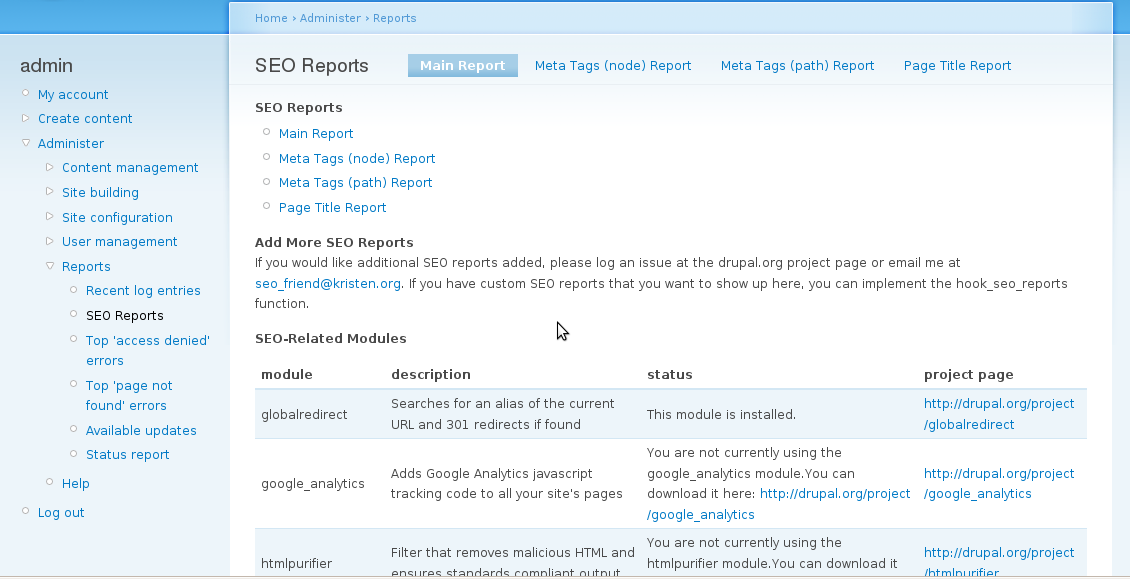 SEO Friend Main Report
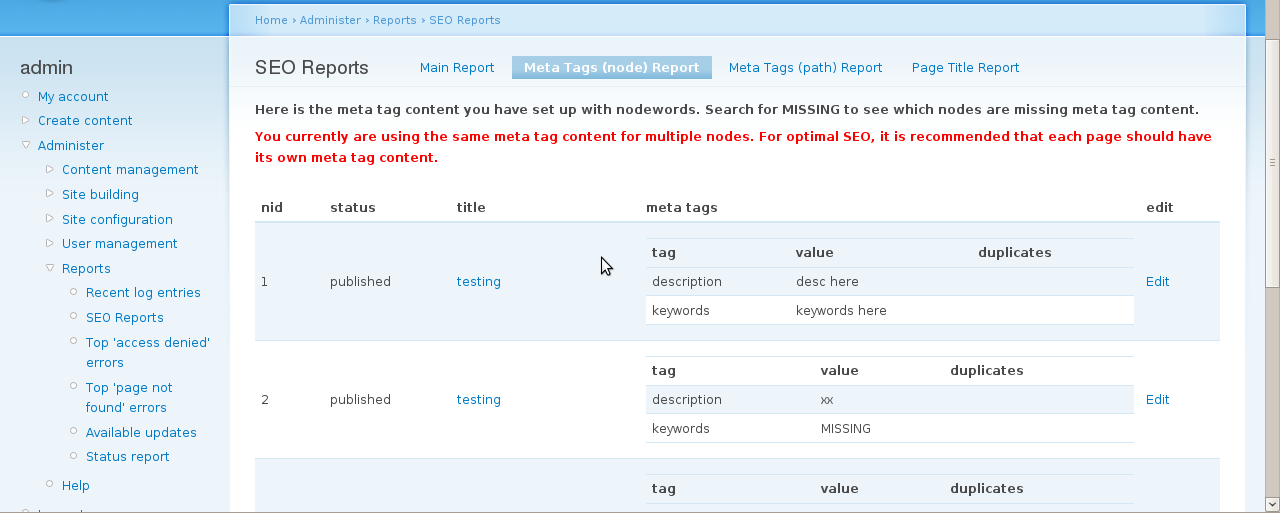 SEO Friend Nodewords Report
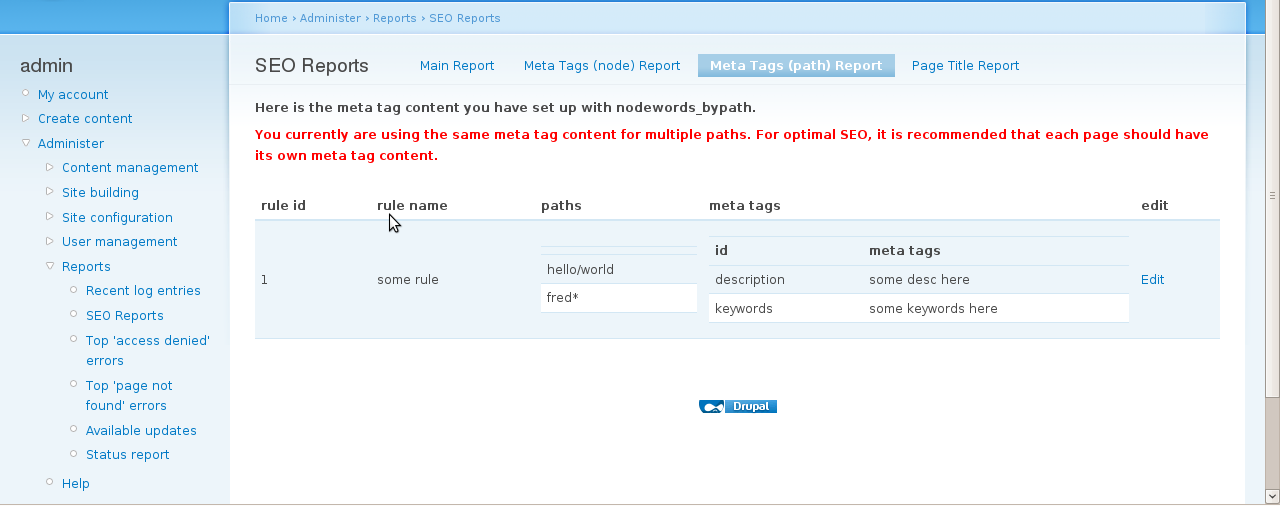 SEO Friend Nodewords by Path Report
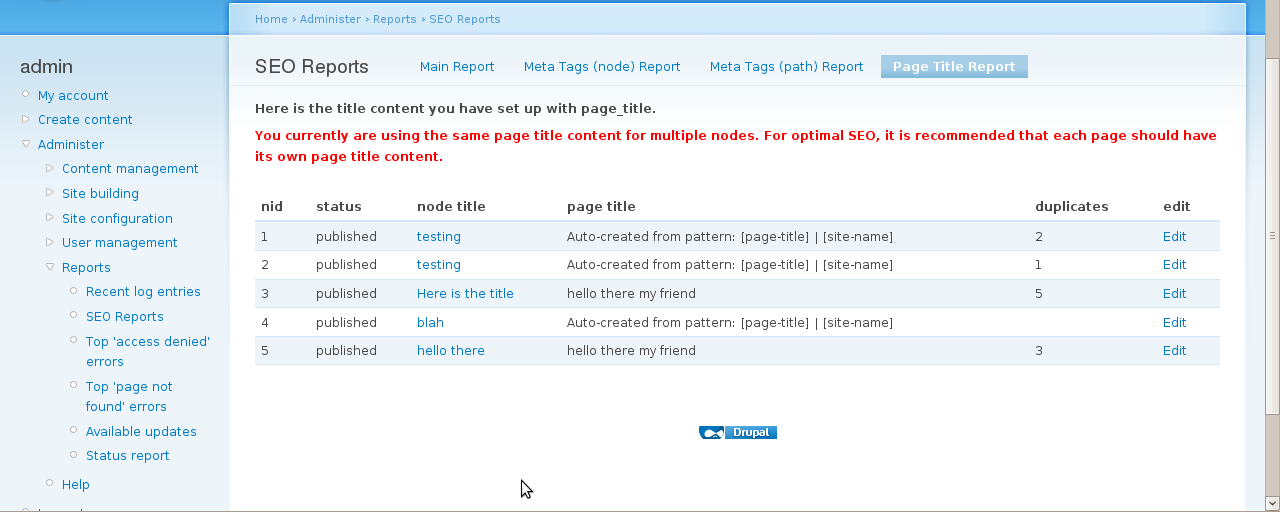 SEO Friend Page Title Report
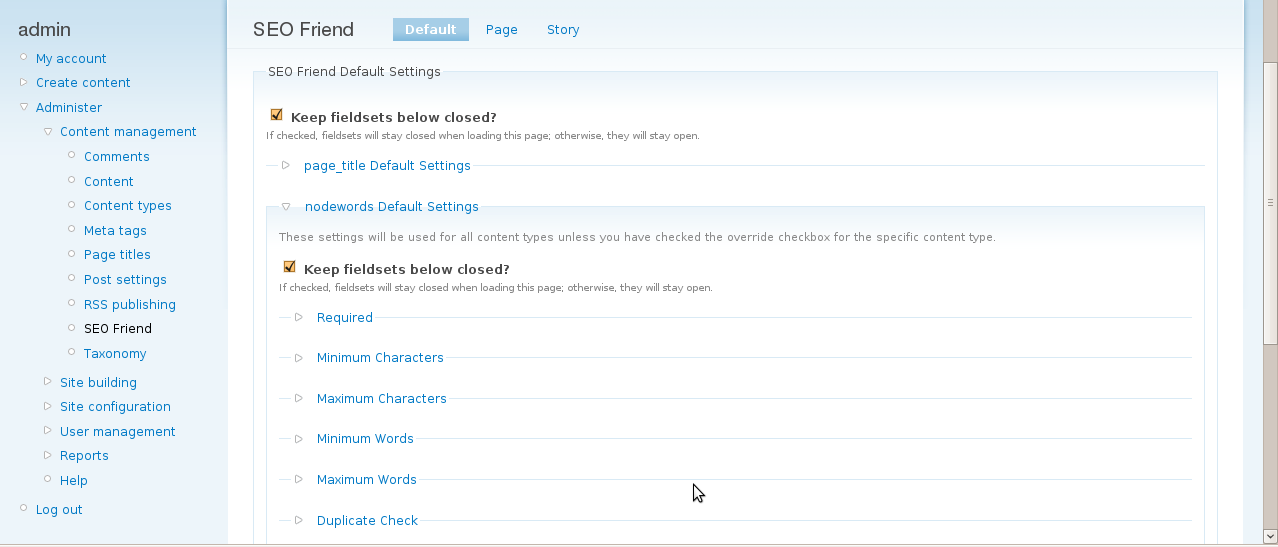 SEO Friend Default Settings
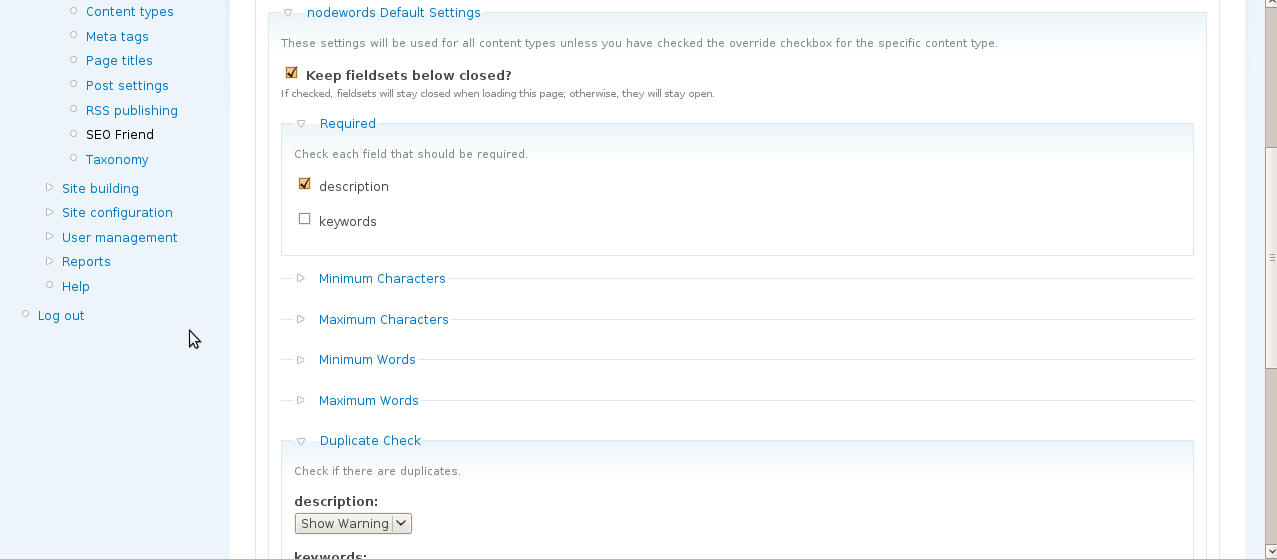 SEO Friend Nodewords Settings
- kristen's blog
- 151481 reads


This is a featured content block that has been configured to show blog nodes with terms SEO or Drupal SEO by the author kristen. It shows random list of 20 results in the block and 30 results on the more page.
- Drupal Meta Tags (nodewords) Module for SEO
- Drupal SEO Modules
- Drupal Node Teaser SEO
- Drupal Has Multiple h1 Tags
- 503 HTTP Status Code when Site Down
- Fix Duplicate Content with Global Redirect Module
- BADCamp Drupal SEO Presentation 2009
- Free Google Keyword Research Tool
- Drupal Nofollow Link Sculpting
- Basic SEO Top 10
- Drupal Pathauto Module
- Kristen
- HTML Validation: Free HTML Validator Tools
- Free SEO Tools
- Drupal SEO Reviews
- Drupal Pathauto URL Aliases Settings

Comments
True
ya i believe.. Drupal is SEO friendly.. Drupal component with the help of a few modules, makes it easy for you to do the things that tend to result in a higher rate of search engine success. In other words, Drupal makes it easy to practice good SEO.
Drupal SEO Friend Module Error With a few Questions
Hi Kristen,
First I want to thank you for developing this module. It really helps a SEO novice like me, WOW there are a lot of modules to add.
The first thing I want to mention is about your module is I'm receiving the following error when I click on the "Meta Tags (node) Report"
warning: Illegal offset type in /####/#####/public_html/sites/all/modules/seo_friend/seo_friend.admin.inc on line 485
The next thing is I have two questions.
1. I have "Global Redirect" loaded, but your model says I should also load "path_redirect" however, there is a critical compatibility issues with that module and the Global Redirect 6.12. Is there a way to check for duplicate paths?
2. Do you know how much of this SEO stuff will be added to the core of the new Drupal 7 version?
Thanks
Bob
Error & other things
Hi Bob,
Glad you are checking out the SEO Friend module... hope it helps you.
Note that although all those SEO-related modules are listed, there are only a few that are "must haves". Here's a list with some notes on these Drupal SEO modules.
As for errors, it's good to check out the issue queue at drupal.org. That error is there (https://www.drupal.org/node/694942) and, unfortunately, I've been unable to reproduce it. But, I did make one change in my dev version that *may* help, so you can download that and try it. You can grab it here: https://www.drupal.org/node/494956/release (look for seo_friend 6.x-1.x-dev)
I'm sorry you are unable to use Global Redirect along with Path Redirect. I'm surprised they are now incompatible... bad news. Perhaps using an older version of Global Redirect would be the best move there so you can use both.
As for Drupal 7, I don't believe any of the listed SEO-related modules will be in "core" but all the important ones should be ported at some point. That is currently on my to-do list for my contributed modules.
For additional questions and bug reports, here's the SEO friend issue queue: https://www.drupal.org/project/issues/seo_friend?categories=All
Btw, I'm also trying to spread the word about my Featured Content module that lets you easily create many different kinds of featured/related content blocks. I recently added that to the SEO modules list in the SEO friend module.
Good luck,
Kristen
Error & other things
Kristen,
Thanks for the reply. I think I have most of this set up, but the "nodewords" or meta data module has a lot of settings and the documentation for it is not very clear. I'm in the process of going back through my entire site and updating the meta data on each node, but it is all the different entries under the default and specific meta tags that are confusing.
For example, under the Front Page, the block for entering your Canonical URL. It says to use a relative URL, but that does not make sense since this URL would be the home page or bobsdailyblog.com.
Oh, well things are moving along I think since the number of visitors is being to increase and my Google webmaster tools are not showing any problems yet.
Thanks for the help.
Bob
h1, h2 etc
Hi Kristen, just downloaded the SEO friend and will install shortly.
Can you tell me wheter h1, h2 etc in the body of a post still matters for search engines? My formatting with WYSIWYG and TinyMCE is so crap that I can't really use headers and just do different font sizes instead.
Have a look at what I mean if you like: https://theundercoverrecruiter.com/what-everybody-ought-know-about-linke...
Many thanks in advance!
Jörgen
Hi Jörgen, Yes, h1/h2 are
Hi Jörgen,
Yes, h1/h2 are still very important. Depending on your theme, the node title should be in an h1 tag for node view pages and h2 tag for summary pages. Some themes put the node title in an h2 tag (and site info in h1) but this is not the best way.
It would be good to use h2 in the body of your text if you can figure out how to do that with your wysiwyg editor. I personally don't use wysiwyg editors since I like to have a better idea what is happening in the text/html.
Good luck!
Kristen